Audionaut
Record, Edit, Arrange
Audionaut is a free, open-source desktop application for effortless audio editing and recording. Precise cutting, clean arranging and transparent projects — and it speaks MCP, so your AI assistant can edit alongside you.
Features
🧭 Free & Open Source
The Audionaut code base went open source on August 15, 2026!
Audionaut is open source under the GPLv3 license. The full source code is on GitHub — read it, build it yourself, report issues, or contribute. If Audionaut is useful to you, you can sponsor its development.
🤖 Built for AI Agents
Audionaut is the multitrack editor your AI assistant can actually use. The app speaks MCP, so Claude and other MCP-capable assistants can inspect and edit your projects conversationally — "split my track at bar 23", "name bars 17–25 'chorus' and fade it in over a beat", "cut this jam into segments and assemble a 60-second arrangement". Everything the timeline does — splitting, arranging, regions, fades, clip gain, analysis, Auto Edit, stem separation, export — is available to agents, and you can keep the project open while they work: each change arrives as one undo step, and saving stays yours.
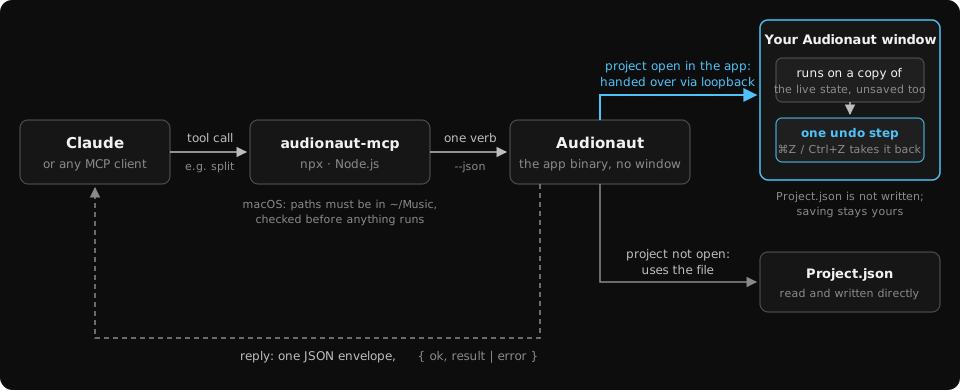
Connect Claude Code in one line (with Audionaut and Node.js installed):
claude mcp add audionaut -- npx -y audionaut-mcp
Claude Desktop setup and the details are in the manual.
🪄 Auto Edit
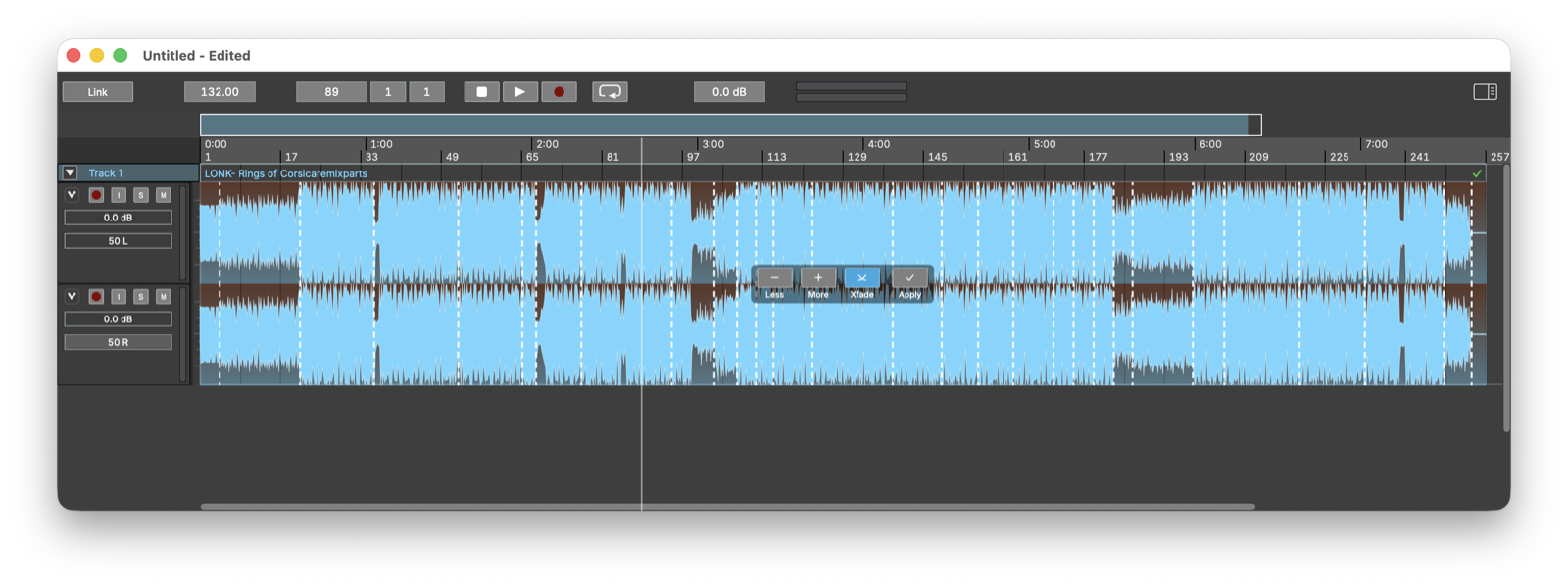
Let Audionaut listen to your material and cut it for you. Built-in audio analysis finds segment boundaries and beats; Create Segments previews musically aligned cuts directly on the clip — dial in fewer or more segments, toggle crossfades, apply with one click. Assemble then builds whole new arrangements from your segments, in order or shuffled, at any target length. Perfect for turning long takes, jams and stems into structured tracks.
Read more in the manual.
🆕 Time-Stretch
Hold Cmd+Alt and drag a clip's edge to change its speed, tape-style — from ×0.25 to ×4, with fades, markers and waveform following along. Pick Re-Pitch for classic varispeed, or Time-Stretch to keep the pitch while the length changes, powered by the Rubber Band R3 engine. Splitting, cloning and exporting all preserve speed and mode, and one undo reverts a stretch.
Read more in the manual.
🥁 Stem Separation
Split any clip into Drums, Bass, Other and Vocals — four new tracks, ready to arrange, straight from the Edit menu. Separation runs entirely on your machine with a state-of-the-art source-separation model (downloaded once on first use); your audio never leaves your computer. Mono clips yield mono stems.
Read more in the manual.
🎼 Intuitive Playlists
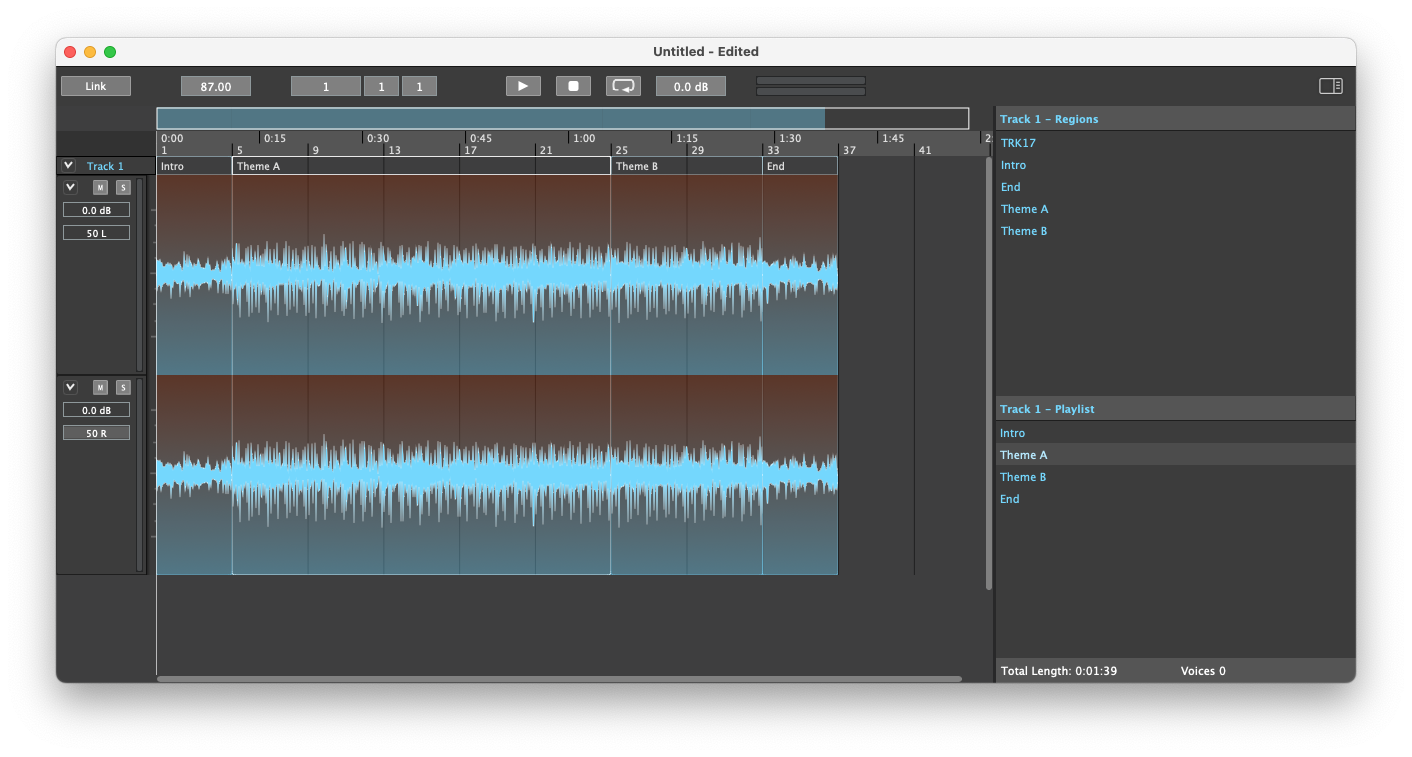
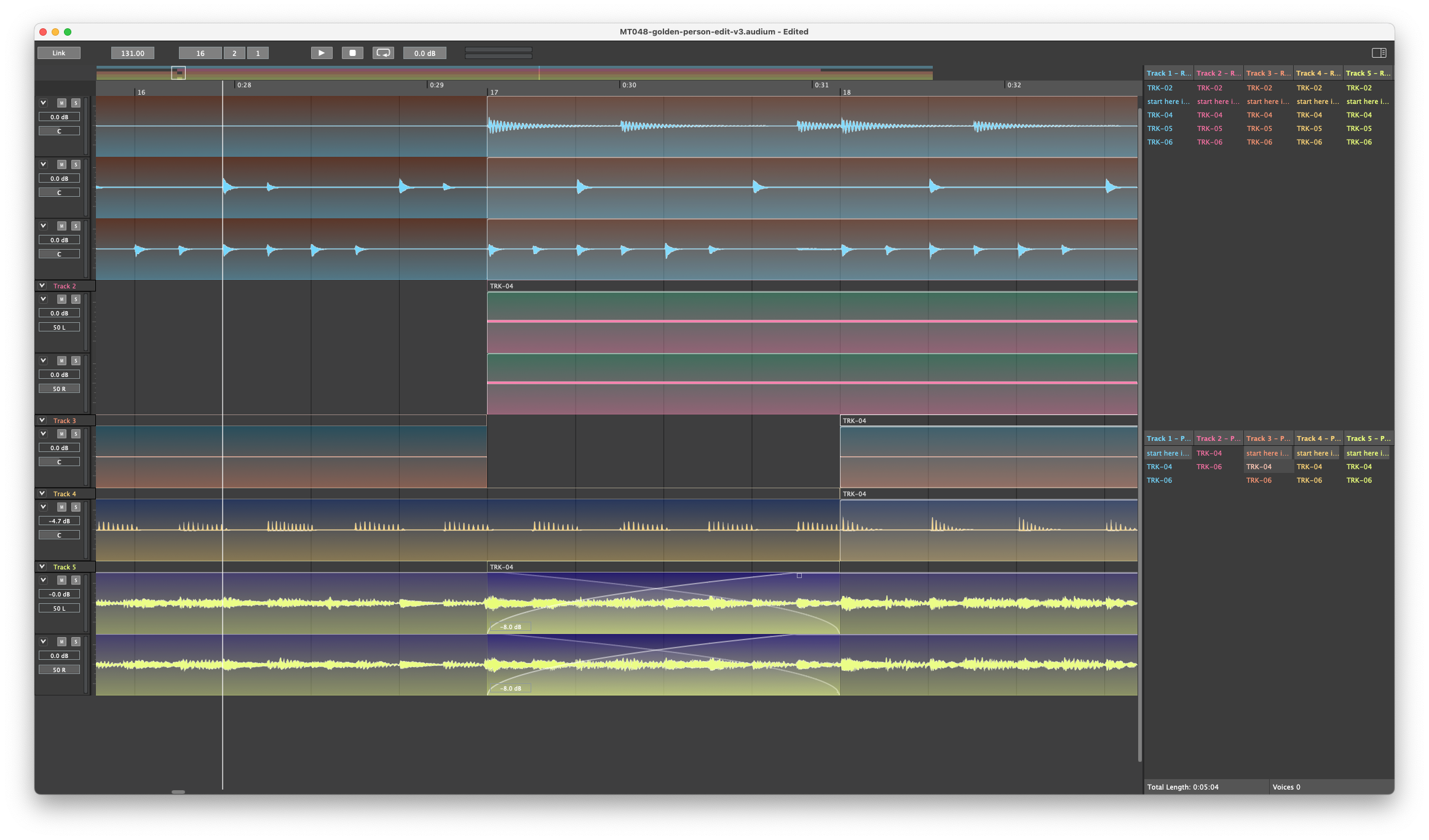
Every track has a playlist, kept in sync with the timeline both ways. Name a section once — Intro, Theme A, Theme B, End — and arrange by dragging regions onto the playlist or the timeline, in any order, as often as you like.
✂️ Multi-Channel Cutting
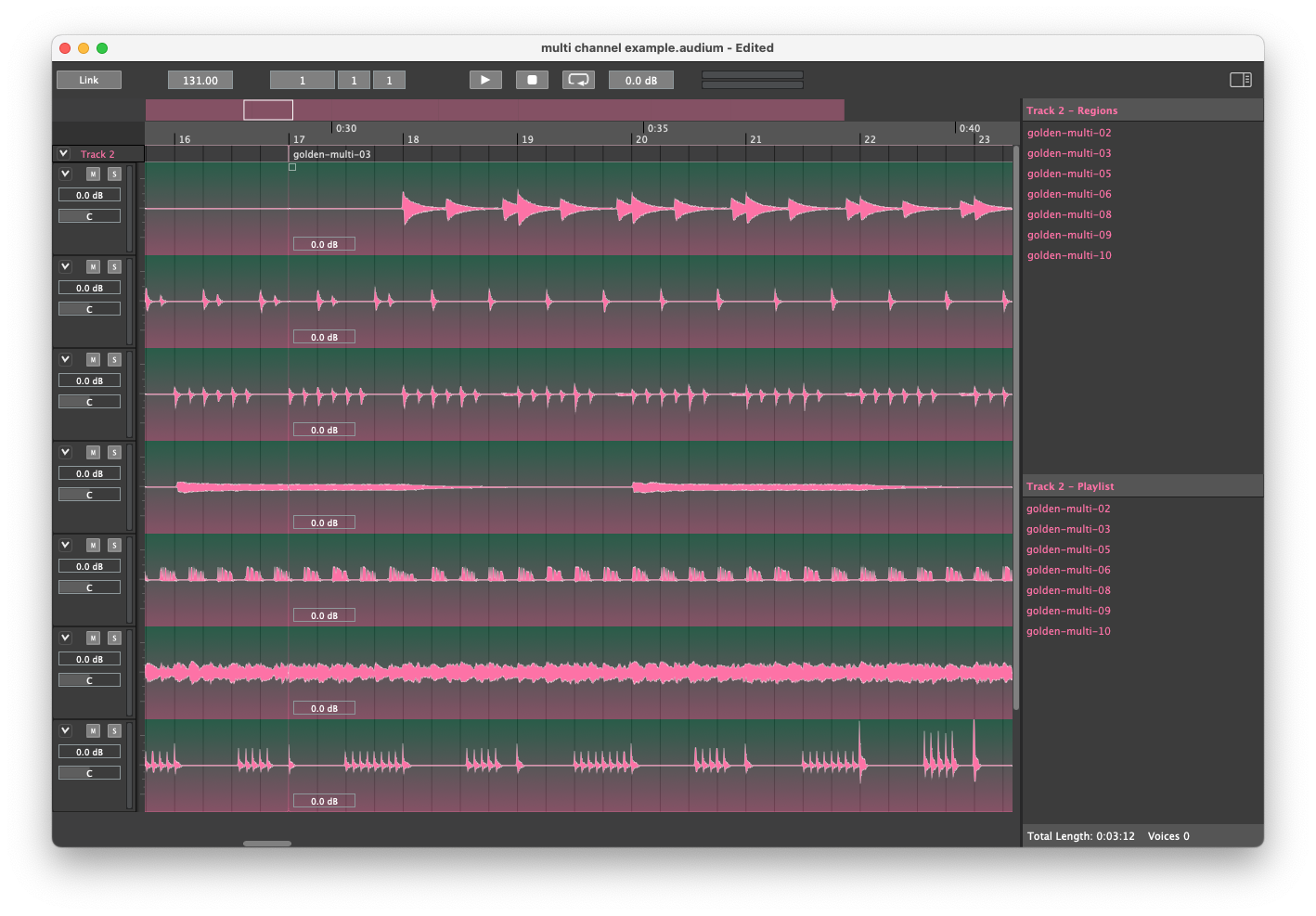
A track holds any number of audio channels — a multi-channel file or a stack of mono stems, dropped on at once. Every cut yields a single region that carries all of its channels, so arranging stays a piece of cake and never gets messy.
🎚️ Multi-Track Arrangements
Layer as many tracks as your piece needs. Each track brings its own playlist, individually synced with the timeline.
🎙️ Audio Recording
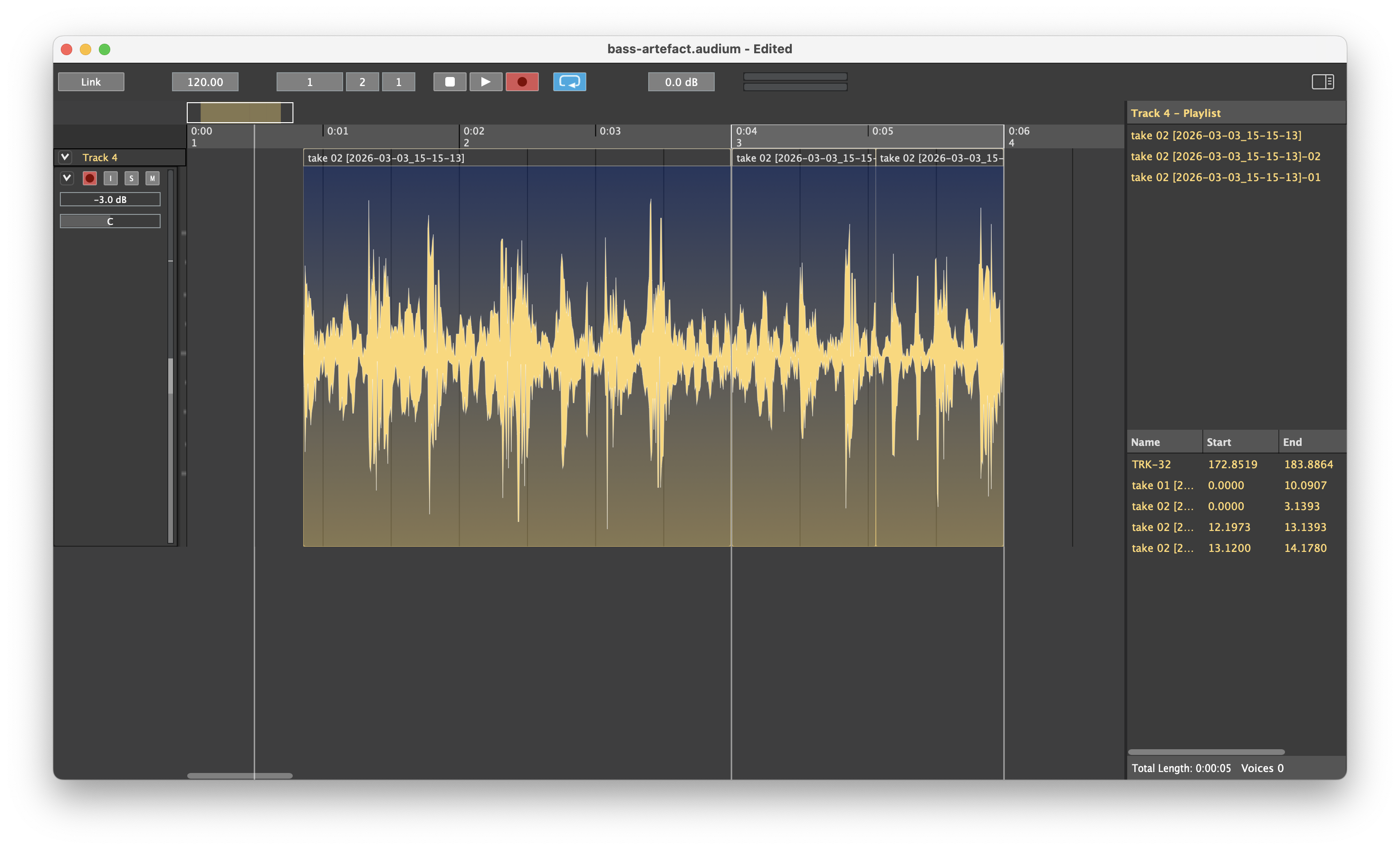
Record the traditional way from start to finish, punch in on the fly, or record in a loop — one file per armed channel, every take undoable.
🎛️ Flexible I/O Routing
Route every channel of a track to any hardware input or output, or to the Main Bus. The channel strip shows non-default routing at a glance and warns when a port is unavailable.
💻 Cross-Platform
Audionaut runs natively on macOS, Windows and Linux.
📦 High-Quality Export
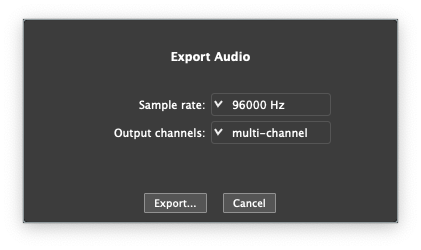
Bounce your work losslessly to WAV, AIFF or FLAC, or compressed to MP3 and Ogg Vorbis at the bitrate you choose — mono, stereo, multi-channel, or multi-mono with an individual file per channel. Offline rendering, faster than realtime.
📄 Open Project Format
Projects are self-contained packages with the project file in plain, human-readable JSON — transparent, diffable, and never locked in.
🎧 Supported Formats
Import and export: WAV · AIFF · MP3 · FLAC · Ogg